One dashboard.
Full operational picture.
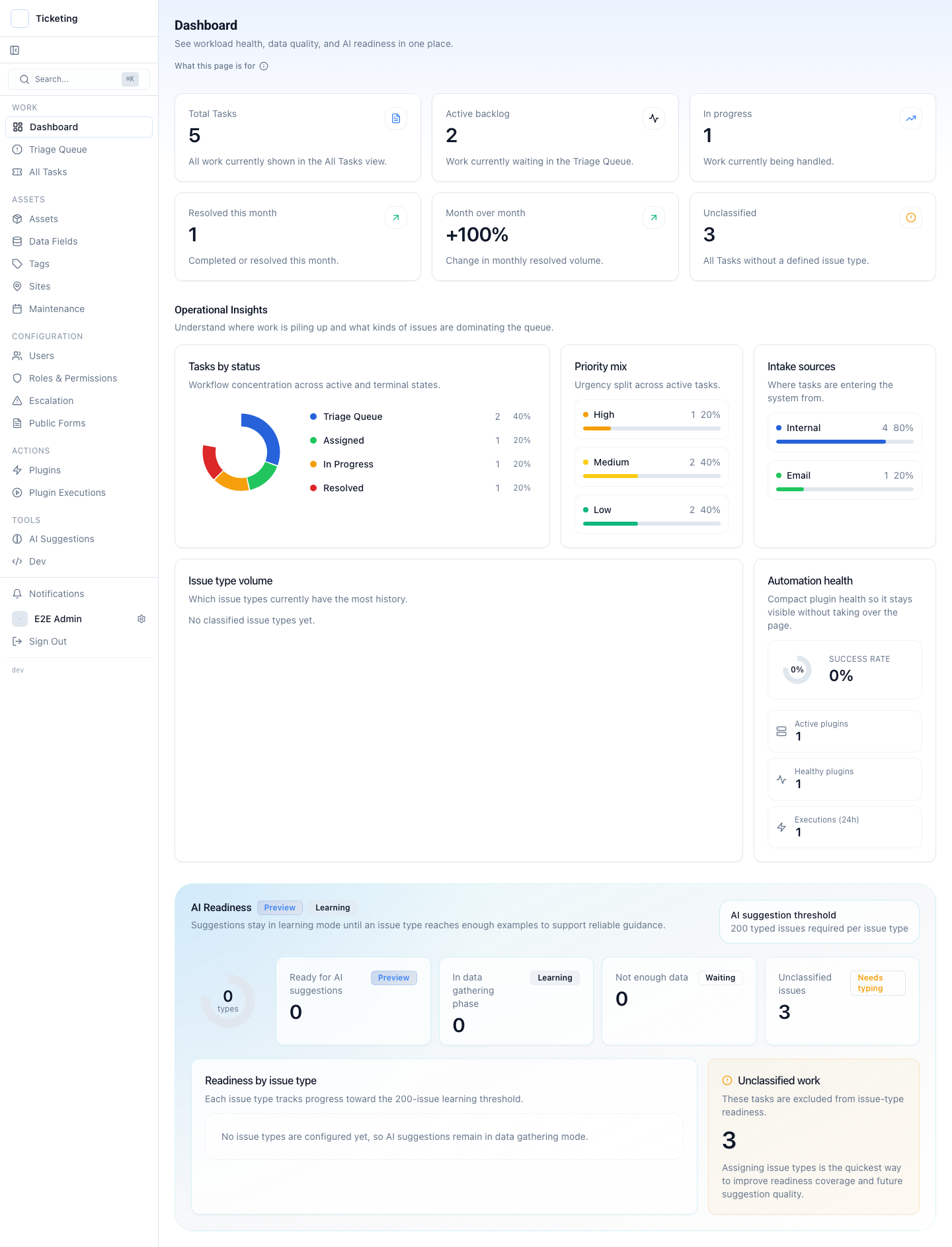
Summary cards, work distribution, model readiness status, and issue-type volume. The operator sees what needs attention without switching between tools.
Readiness is the honest part: a category only starts producing suggestions once operators have corrected enough of them for the model to have signal. Until then the system stays quiet.
One queue.
Every channel.
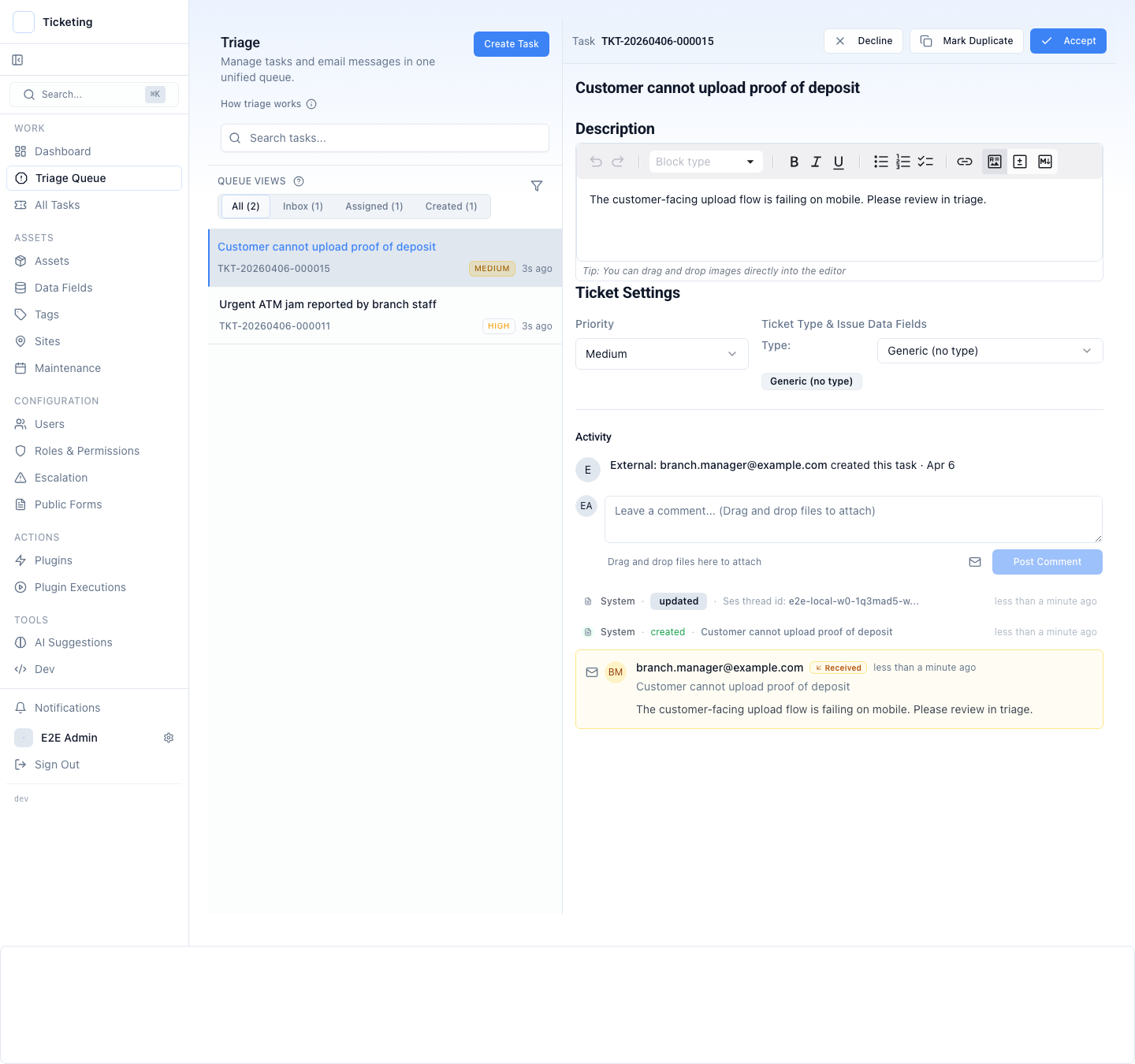
Email, forms, operator-created tickets, and system alerts all land in the same queue. A shared inbox centralises the messages; unified triage also decides ownership, priority, and ticket routing before anyone starts typing.
Select a ticket to see the full context — description, settings, activity, and email origin — inline without leaving the queue.
Routing rules, SLA management, and the escalation policy hang off this screen. When an operator overrides a suggested route, the override is the signal the next suggestion is built from.
Everything about
the ticket.
One record.
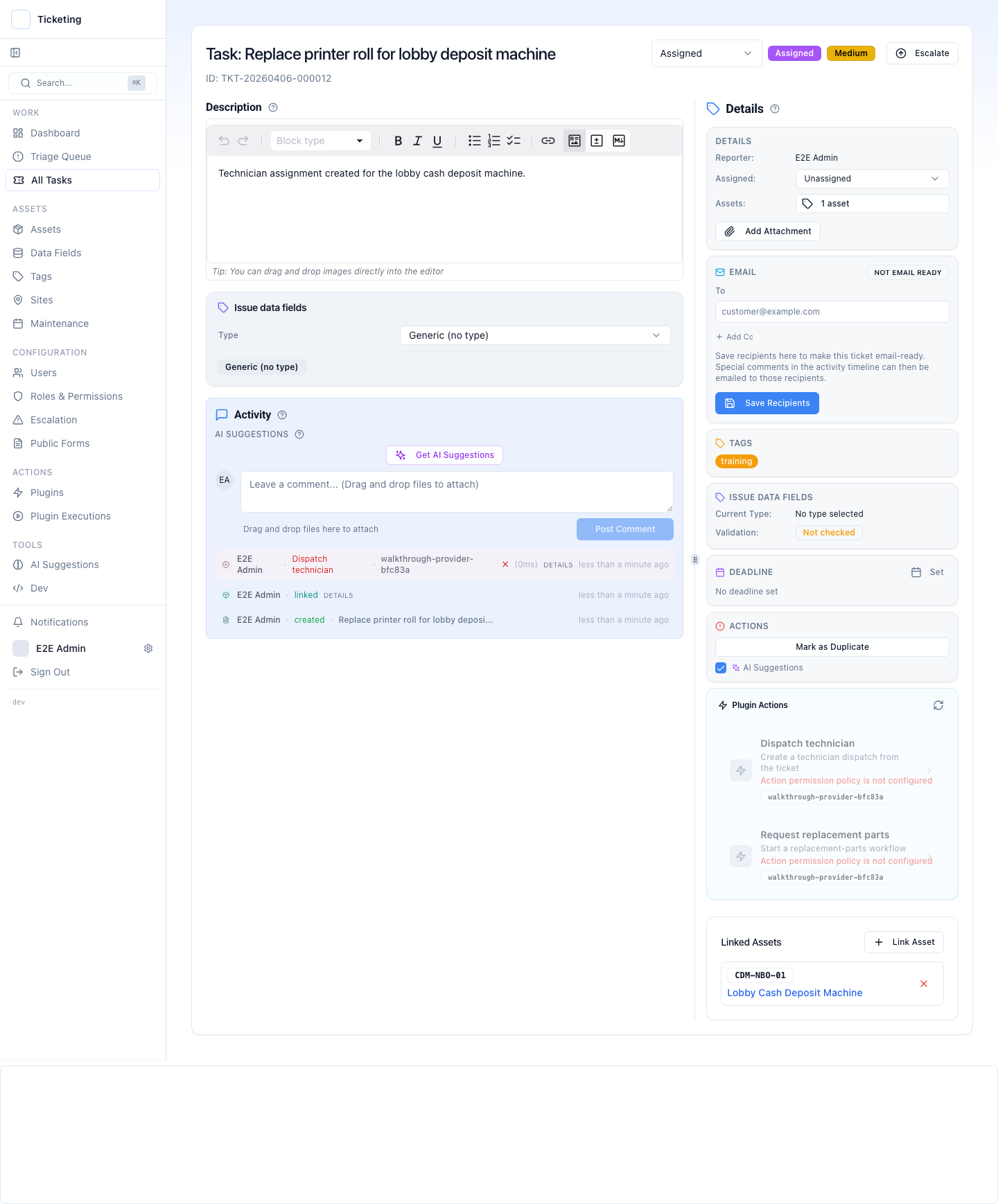
Editable description, status controls, linked assets, issue data fields, plugin actions, activity timeline, and suggestions — all on one record. When someone asks "what happened?" the answer is already there.
Anchor work
to what it
touches.
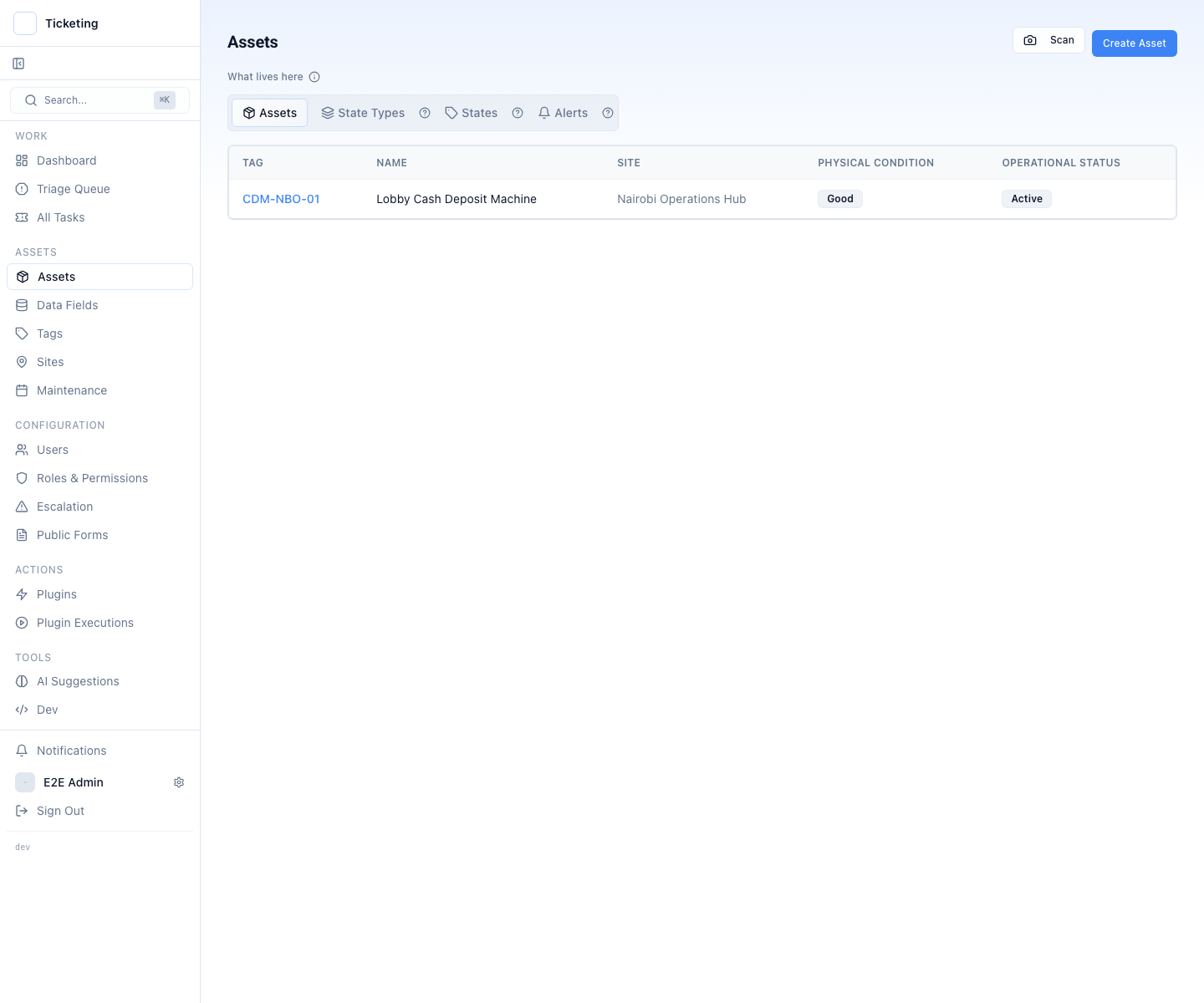
Assets carry operational state, physical condition, site assignment, and linked work history. Sites group assets, tickets, and local context into one view.
Maintenance schedules turn asset classes into recurring work automatically — so preventive tasks do not depend on someone remembering to create a ticket.
Not every team needs this. A support desk with no field estate can ignore assets entirely and lose nothing.
Connect your
systems as
actions.
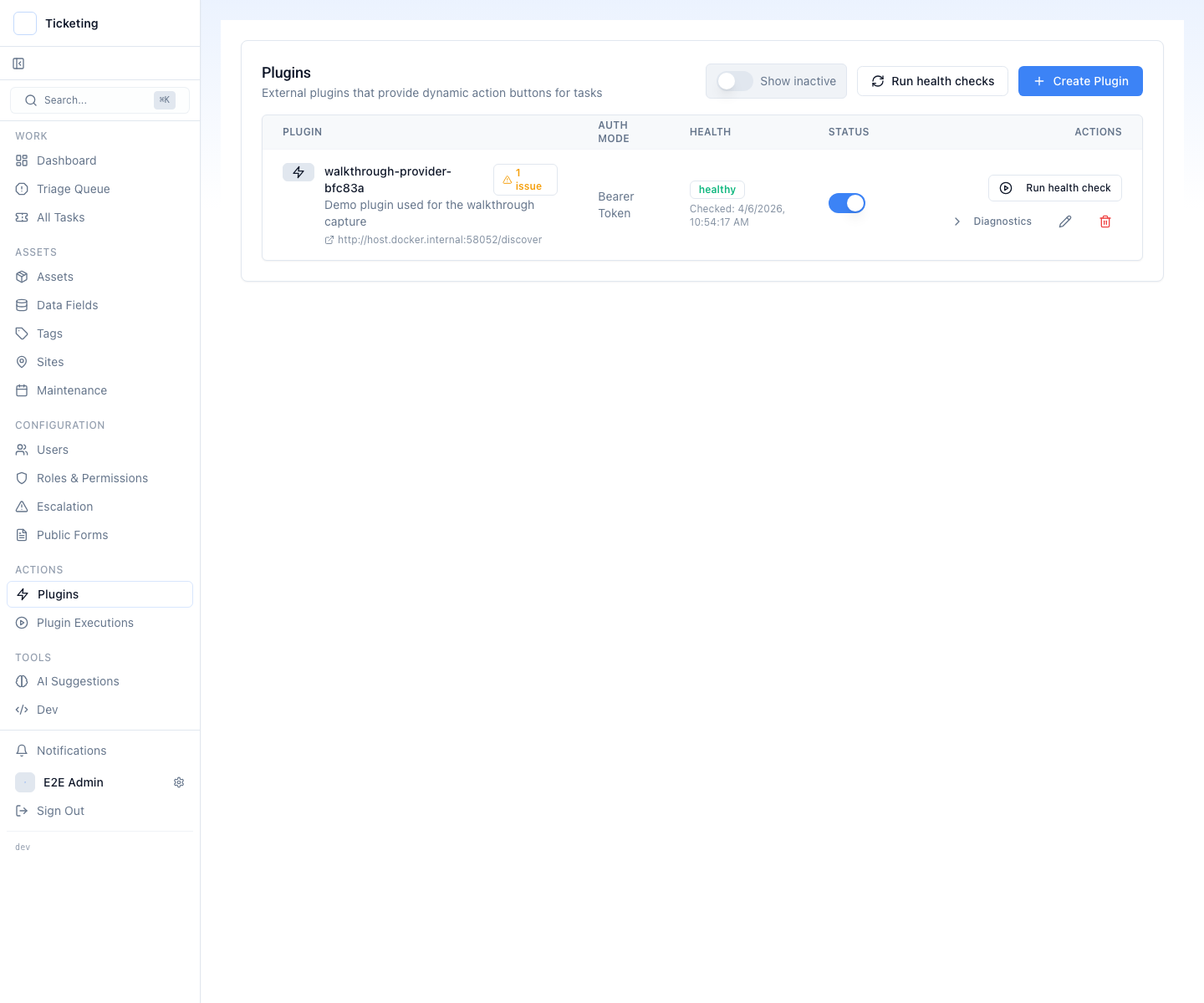
Plugins connect the systems your team already uses — Stripe, your ERP, Slack, internal APIs. Each action runs from the ticket with permissions, role checks, and logging built in.
The model is a plugin on the same interface. Point triage at a commercial API with your own key, at an open-weights model on your own hardware, or at an in-house endpoint your team already runs. Swapping models is a configuration change, not a migration.
Plugins are written in TypeScript or Go against a documented interface. The developer path covers the SDK, webhooks, and the permission model.
One person
requests.
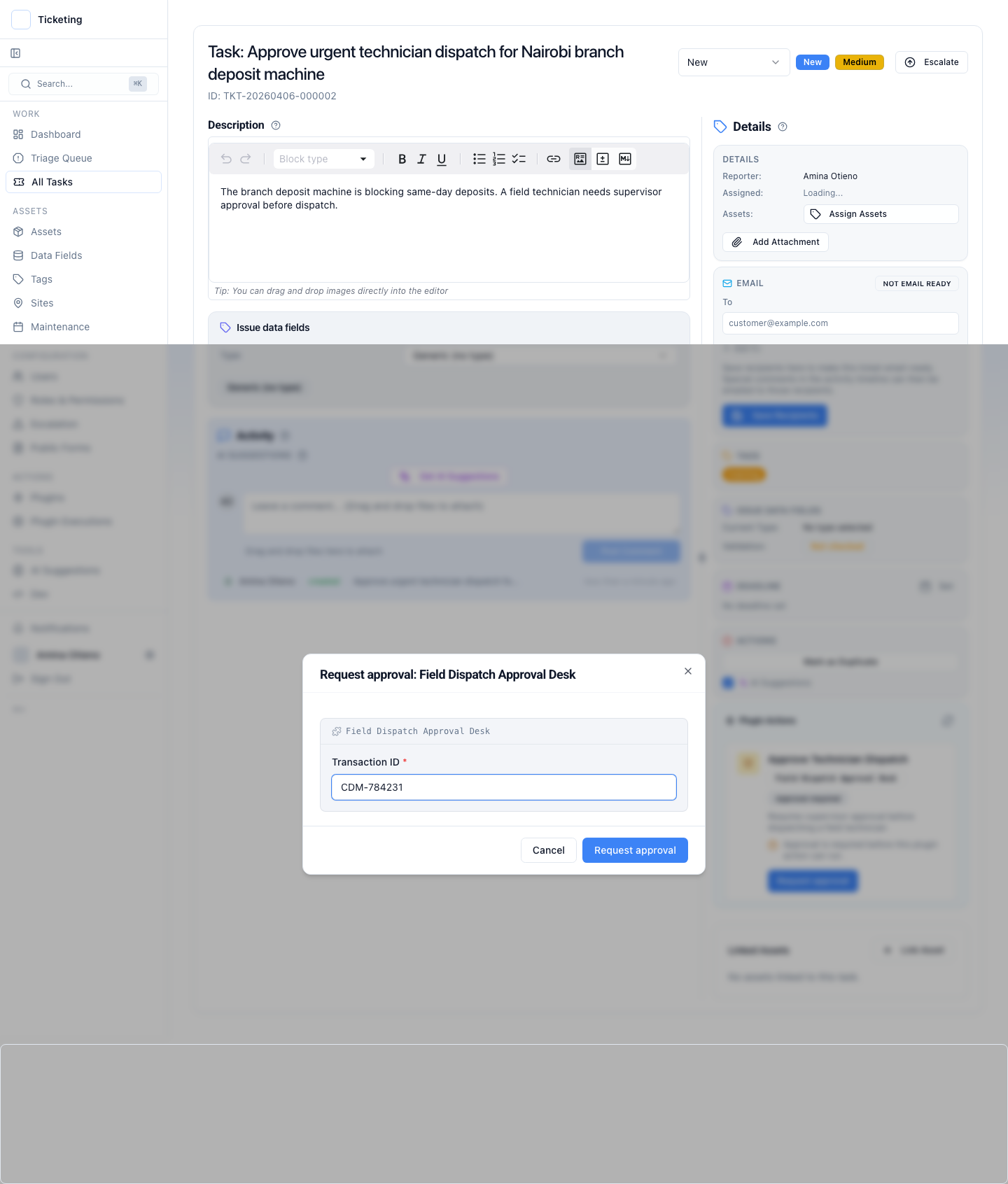
The first operator packages the action request — transaction ID, action type, target system — and submits it for review. The action stays locked until a different authorized user approves it.
Many teams say they have four-eyes control when what they actually have is a forwarded email. Two-person review (also called four-eyes control or maker-checker) is the enforced version: the system, not the etiquette, keeps the two people apart.
Another person
reviews.
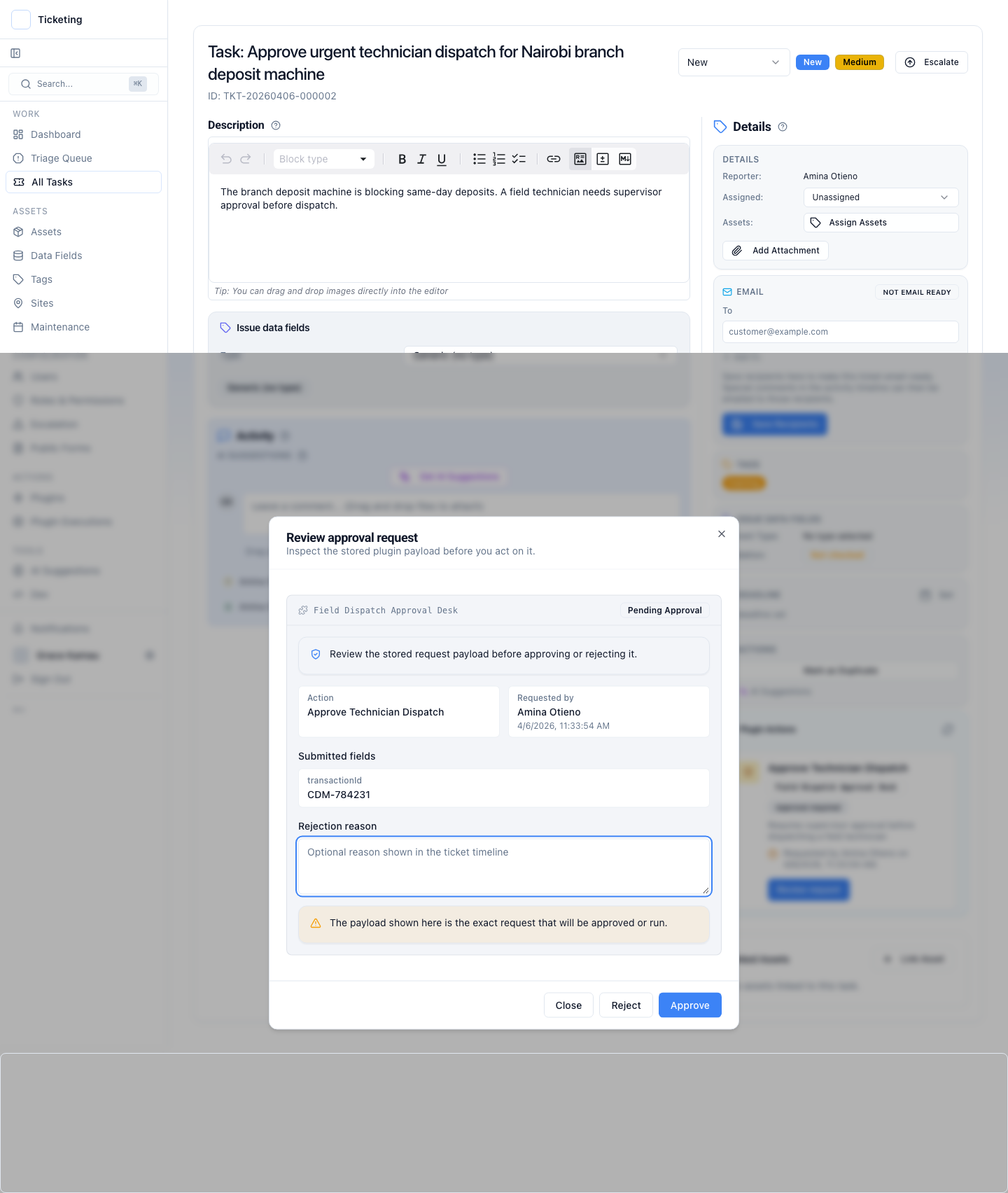
The approving user sees the full request payload — the action, the submitted fields, the requesting user. They approve, reject with a reason, or close without acting.
This is also where the gate earns its keep on model-proposed work. A suggested refund is still a proposal until a named person approves it, which is what makes it safe to let a model near the action at all. See approval workflows for threshold and reviewer configuration.
Action runs.
Proof stays.
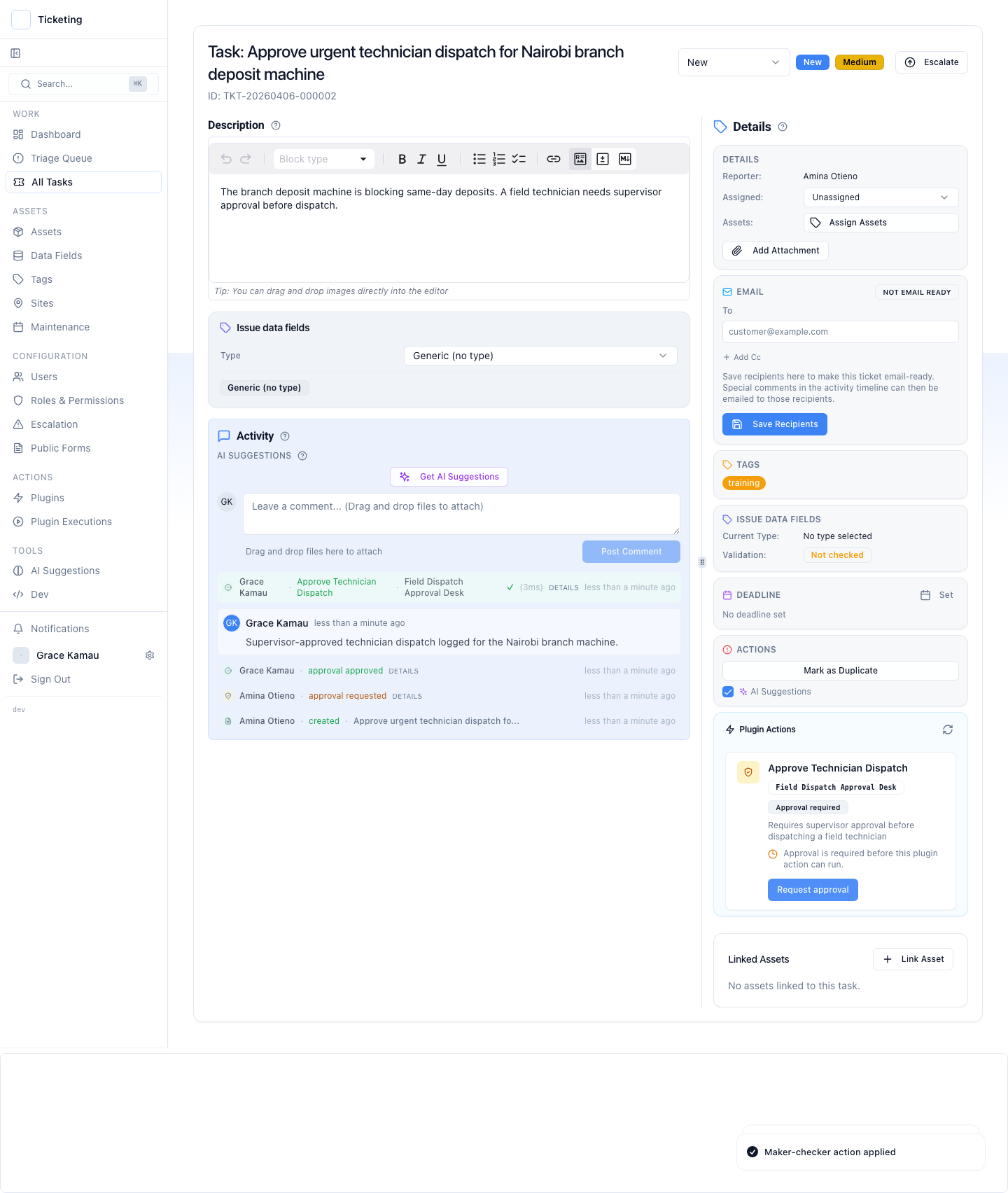
After approval, the action executes and the result lands on the ticket. Who requested, who approved, what executed, and what the downstream system returned — all on one record.
The ticket now carries the complete control story: request, review, execution, and outcome. In a regulated function this is the case file, and it did not have to be assembled after the fact.
Every action.
Every outcome.
Inspectable.
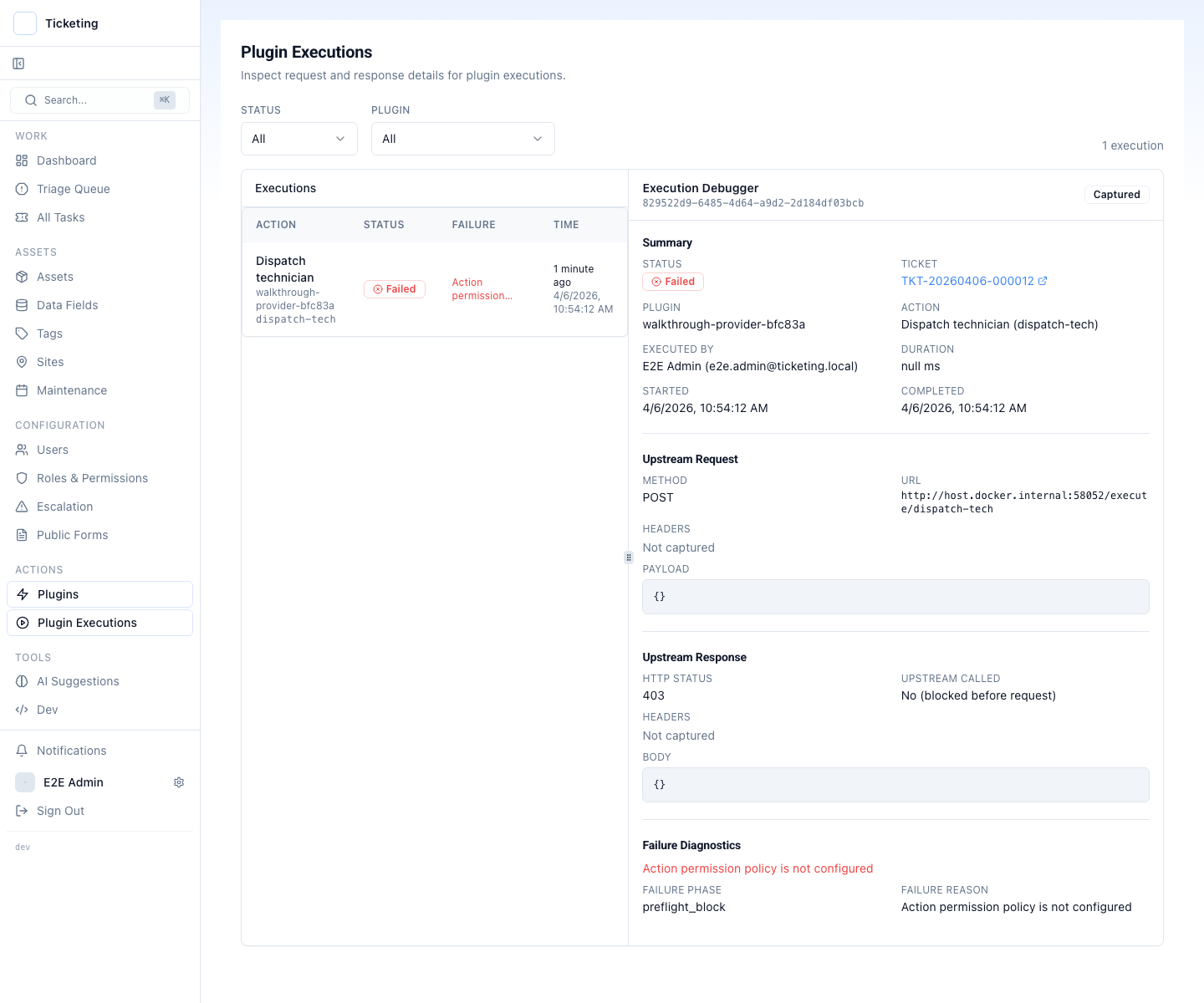
Every plugin execution is captured with its upstream request, downstream response, timestamps, acting user, and failure diagnostics. Operators debug live. Auditors review later.
The ledger is written to your database and exported by your team, on your schedule. Auditability covers retention, export formats, and what an evidence request actually needs.
Bring one queue and get a fit answer
You have seen the walkthrough. Bring the triggering issue, the downstream system, and the control requirement, and get a fit or no-fit answer on that one workflow.